
Push Notification Setup
- First, go to the Firebase Console and sign in with your email account and go to the console.
- Then Create A project by your app name.
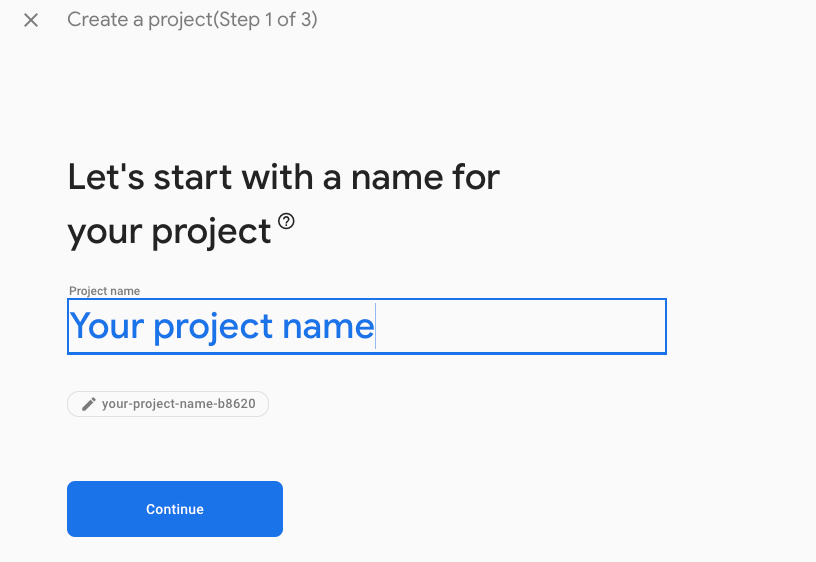
To get the FCM API
- Go to Project Overview > Project Settings > General > Project ID
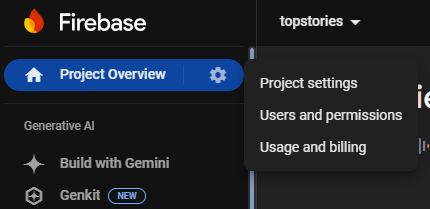

- Copy your project ID. In this example, it is topstories.
- Your FCM API URL will look like this:
https://fcm.googleapis.com/v1/projects/topstories/messages:sendReplace topstorieswith your actual project ID.
How to get Service Account Key Configuration JSON
- First, go to the Firebase Console and sign in with your email account and go to the console.
- Click on the project you have just created or create a new one.
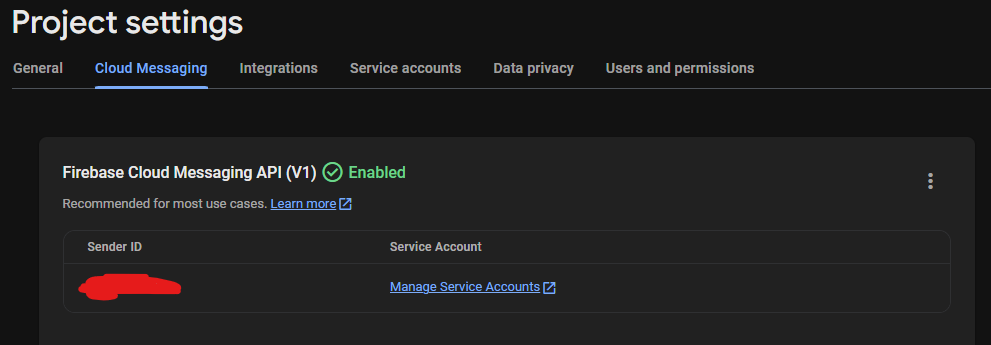
- Go to Project Overview > Project Settings > Cloud Messaging and click on Manage Service Accounts
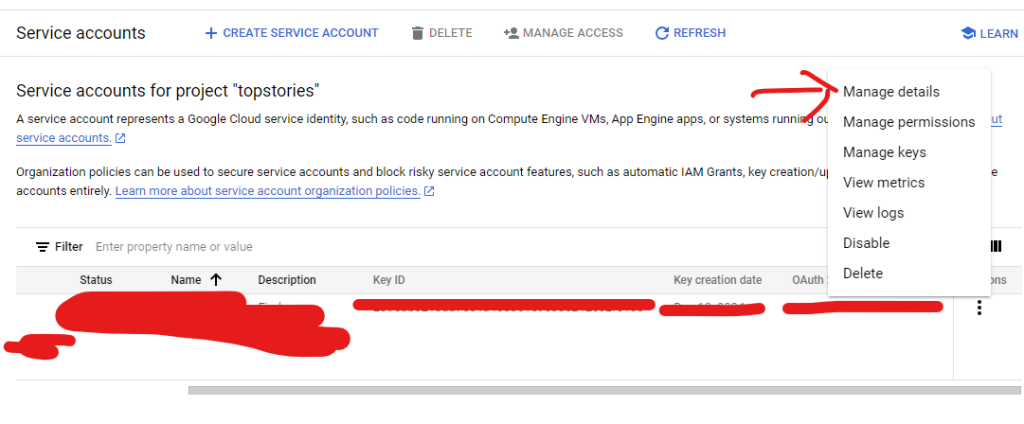
- Click on the three dots and click on Manage Details
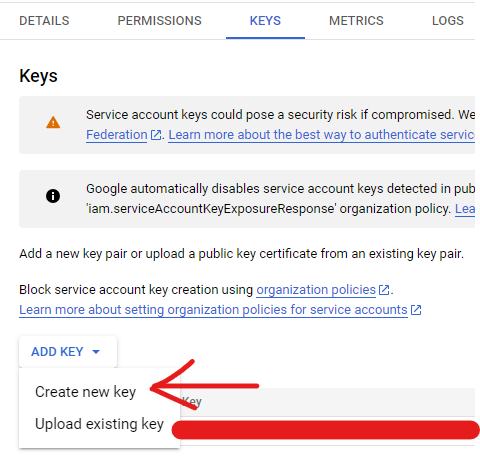
- Click on KEYS Tab and click on create new key
- Choose JSON and click on create
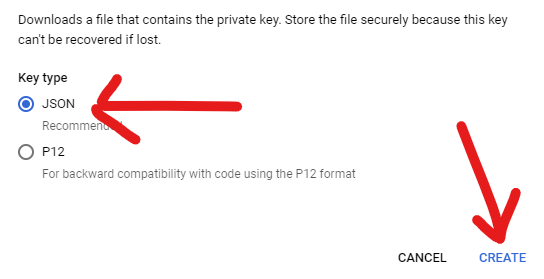
- A .json file will be downloaded. Save it in a secure location, then open the file and copy its contents.
- Paste the whole json data in Service Account Key Configuration JSON and click on update.