1.Navigate to the Posts or Pages section in the WordPress admin panel.
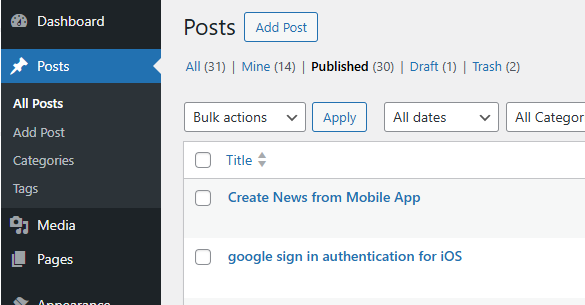
2. Click on the post you wish to edit, and you will be taken to its editing page.

3. In the URL, you will see the post/page ID. For example, the ID for this post is 216.
1.Navigate to the Posts or Pages section in the WordPress admin panel.
2. Click on the post you wish to edit, and you will be taken to its editing page.
3. In the URL, you will see the post/page ID. For example, the ID for this post is 216.